Posts

Showing posts with the label Android

5 Ways to handle button click event in android

Image
When writing software very rarely is there only one way to do this things,this is true when wiring up View events,five methods are shown here. 1.U sing   Member   Class public   class  main  extends  Activity  {     @Override      public   void  onCreate ( Bundle savedInstanceState )   {          super . onCreate ( savedInstanceState ) ;         setContentView ( R. layout . main ) ;          //attach an instance of HandleClick to the Button         findViewById ( R. id . button1 ) . setOnClickListener ( new  HandleClick ( ) ) ;      }           private   class  HandleClick  implements  OnClickListener {          public   void  onClick ( View  arg0 )   {    ...
Android Activity Animation Tutorial

Image
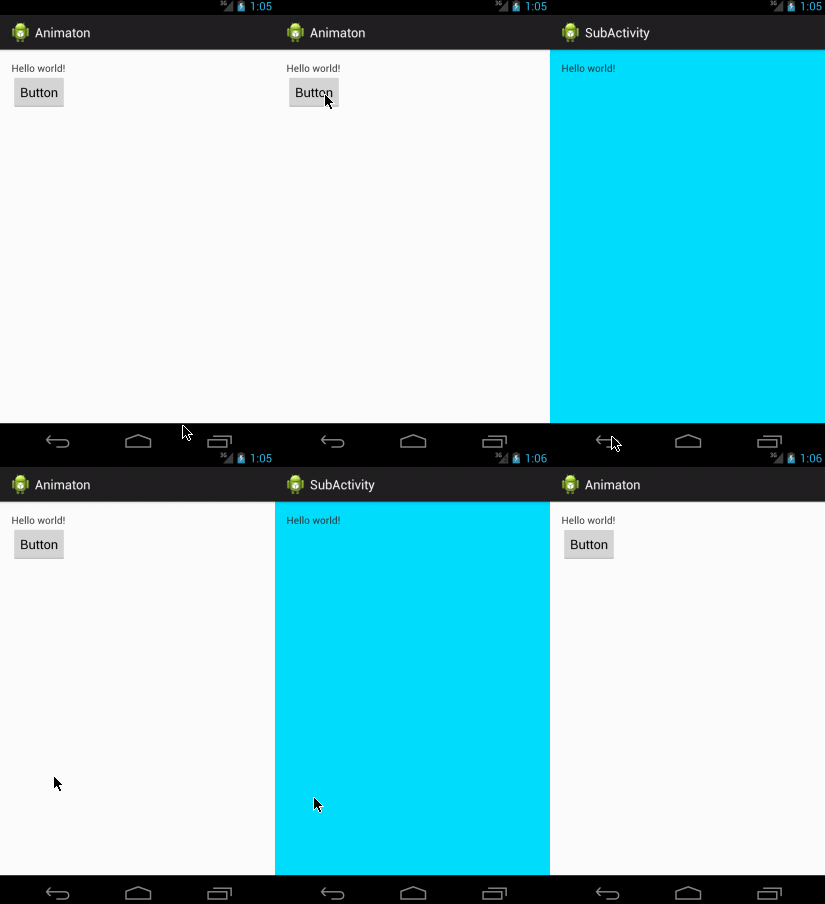
In this tutorial you can learn how to animate two activities like android navigation drawer style. Android two activity animation like navigation drawer. First of all create 2 activities. MainActivity SubActivity Then 2 XML Files (simple way two xml enough,but we need another two xml to accomplish reverse animation) slide_in_left.xml slide_out_left.xml

Nexus 4 Dual Boot - Android and Ubuntu

Note  :  Dual boot is not part of the regular Ubuntu release  After installation: A single device with the ability to switch between fully functional Android and Ubuntu images On Android: an Ubuntu Installer app to install Ubuntu, as well as to boot into Ubuntu On Android: the Super User app to grant permissions to the Ubuntu Installer app On Ubuntu: an Ubuntu Dual Boot app to boot into Android Ubuntu system updates are not yet supported from the Ubuntu side, but they can be done via the Android app Requirements To install dual-boot, you'll need: A Nexus 4 device  (other  supported Nexus devices  should in theory work but have not been tested at the time) Android 4.2 or higher  running on the device, either stock firmware or based on Cyanogen Mod or AOSP. Note that  Android 4.4 requires additional steps to get phone calls working on the Ubuntu side 2.7GB of free storage  on the device to install Ubuntu ADB too...

Android Developer Tool Latest

Latest Android Studio Canary Build: 0.3.6 You can install 0.3.6 incrementally by just using "Check for Updates" in your IDE, and applying the update mechanism which will patch your existing install. Windows: Download (141 MB) Mac: Download (140 MB) Linux: Download (139 MB)

New Android Run-time , ART in KitKat

Image
ART, which stands for Android Runtime, handles app execution in a fundamentally different way from Dalvik. The current run-time relies on a Just-In-Time (JIT) compiler to interpret bytecode, a generic version of the original application code. In a manner of speaking, apps are only partially compiled by developers, then the resulting code must go through an interpreter on a user's device each and every time it is run. The process involves a lot of overhead and isn't particularly efficient, but the mechanism makes it easy for apps to run on a variety of hardware and architectures. ART is set to change this process by pre-compiling that bytecode into machine language when apps are first installed, turning them into truly native apps. This process is called Ahead-Of-Time (AOT) compilation. By removing the need to spin up a new virtual machine or run interpreted code, startup times can be cut down immensely and ongoing execution will become faster, as well. ART is a new Android r...

Speeding Up the Android Emulator on Intel Architecture

Image
This article will guide you through installing the Intel Hardware Accelerated Execution Manager (Intel HAXM), a hardware-assisted virtualization engine (hypervisor) that uses Intel Virtualization Technology (Intel VT) to speed up Android development on Windows. It also explains how to setup a hardware-assisted KVM on Linux and best known methods in compiling natively and submitting apps to the Google Play Store for x86. 2. Installation 2.1. Prerequisites You need to have the Android SDK installed. Your computer must have an Intel processor with support for Intel VT-x, EM64T and Execute Disable(XD) Bit functionality enabled from the BIOS. 2.2. Installation on Windows After you have installed the Android SDK, open the SDK Manager. In the extras section, you can find the Intel HAXM. File Path : \sdk\extras\intel\Hardware_Accelerated_Execution_Manager Check the box and click the ‘Install packages…’ button, once you have installed the package, the status will appear as ‘Inst...

How to change target build on Android project ?

Image
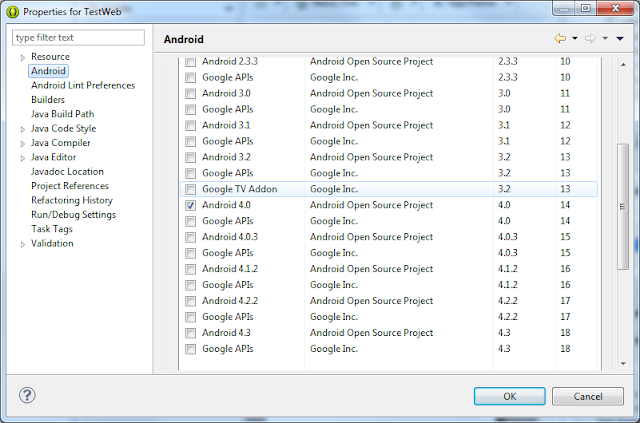
Right click the project and click " Propertie s". Then select " Android " from the tree on the left. You can then select the target version on the right. hint:Sometime IDE need to restart Change Android build target

Android Web Request Sample

Image
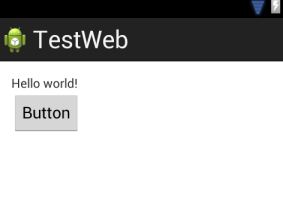
Simple Android web request (POST Method) sample application